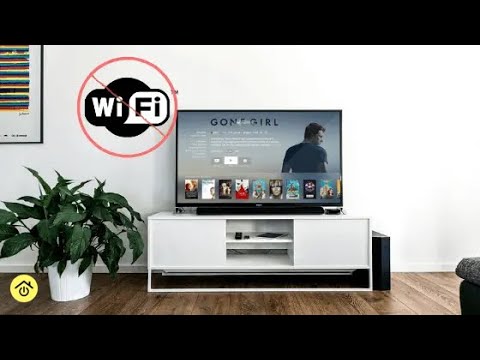
Do You Need Internet for Your Smart TV? The Essential Guide
In today’s connected world, the lines between traditional television and the internet have blurred significantly, especially with the advent of smart TVs. Many consumers wonder if the “smart” features are truly dependent on an internet connection. The short answer is yes, a smart TV absolutely requires an internet connection to unlock its full potential and access the features that make it “smart.” Without it, you’re essentially using a very expensive, high-definition monitor rather than a versatile entertainment hub. This article will delve into why internet connectivity is crucial for smart TVs, what features you’ll miss out on without it, and offer solutions for those with limited internet access.
The Core Functionality of a Smart TV
At its heart, a smart TV is a television set with integrated internet and interactive features, allowing it to connect to the World Wide Web. This connectivity transforms your TV from a passive viewing device into an active entertainment platform. The primary draw of a smart TV lies in its ability to stream content directly from online services, browse the web, and even run applications, all without the need for external devices like streaming sticks or gaming consoles.
Streaming Services: The Biggest Draw
The most significant benefit of a smart TV is access to a vast array of streaming services. Platforms like Netflix, Hulu, Amazon Prime Video, Disney+, and YouTube are staples for modern entertainment. These services deliver on-demand movies, TV shows, documentaries, and user-generated content directly to your screen. Without an internet connection, you cannot log in to these services, browse their libraries, or stream any of their content. This renders a major selling point of your smart TV completely inaccessible.
Did you know? Smart TVs often come with pre-installed apps for popular streaming services, but new apps can usually be downloaded from the TV’s app store, further expanding your entertainment options.
App Ecosystem and Beyond
Beyond streaming, smart TVs offer access to a wider range of applications. These can include weather apps, news portals, social media clients, and even games. They also allow for web browsing, enabling you to look up information or visit websites directly from your TV. Some smart TVs also support features like screen mirroring or casting from your smartphone or tablet, which also relies on a network connection.
What Happens if Your Smart TV Isn’t Connected?
If you own a smart TV but choose not to connect it to the internet, or if your internet service is temporarily unavailable, your experience will be significantly limited. You will still be able to watch traditional broadcast channels via an antenna or cable/satellite subscription. However, all the “smart” functionalities will be disabled. This includes:
- Accessing any streaming apps (Netflix, Hulu, etc.)
- Using the built-in web browser
- Downloading or using other smart TV apps
- Utilizing features like voice control or smart home integration that rely on cloud services
- Receiving software updates, which are crucial for security and new features
Smart TV vs. Non-Smart TV: Key Differences
The fundamental difference lies in connectivity and built-in capabilities. A non-smart TV (or a “dumb” TV) is purely a display device. To access streaming or online content, you would need to connect an external streaming device like a Roku, Amazon Fire Stick, Apple TV, or a gaming console. A smart TV has this connectivity and processing power built-in, offering a more seamless and integrated experience.
| Feature | Smart TV (Internet Connected) | Smart TV (No Internet) | Non-Smart TV |
|---|---|---|---|
| Basic TV Channels | Yes | Yes | Yes |
| Streaming Apps | Yes | No | No (Requires external device) |
| Web Browsing | Yes | No | No (Requires external device) |
| App Store Access | Yes | No | No (Requires external device) |
| Software Updates | Yes | No | N/A |
Alternatives for Limited Internet Access
If you have limited or no home internet, you might still want to leverage your smart TV’s capabilities. Here are a few options:
- Mobile Hotspot: Use your smartphone’s data plan to create a Wi-Fi hotspot. Keep in mind that streaming consumes a significant amount of data, so this is best for occasional use or if you have an unlimited plan.
- External Streaming Device with Offline Content: Some devices allow you to download content when you have internet access (e.g., at a friend’s house or public Wi-Fi) and then play it back on your TV.
- Ethernet Connection: If your smart TV and router are close, a wired Ethernet connection can often provide a more stable connection than Wi-Fi, which might be beneficial if your internet speed is borderline.
Frequently Asked Questions
Q1: Can I use my smart TV without the internet at all?
Yes, you can still watch regular TV channels through an antenna, cable, or satellite connection. However, you will not be able to access any of the internet-based features like streaming apps, web browsing, or app store downloads.
Q2: Will my smart TV get updates without internet?
No, most smart TV software and app updates are delivered over the internet. Without a connection, your TV will not receive these updates, potentially leaving it vulnerable to security risks and missing out on new features or performance improvements.
Q3: Is it worth buying a smart TV if I don’t have internet?
If you primarily watch traditional TV channels and have no plans to get internet, a standard non-smart TV might be a more cost-effective option. However, if you anticipate getting internet in the future or plan to use it with external streaming devices, a smart TV can be a good investment.
Fact: Many smart TVs allow you to connect to your home network via Wi-Fi or an Ethernet cable, offering flexibility in how you establish your internet connection.
Conclusion
In conclusion, a smart TV is designed with internet connectivity as a core component of its functionality. While it can still display traditional television signals without an internet connection, you will be unable to access the vast majority of features that make it a “smart” device. Streaming services, apps, web browsing, and software updates all rely on an active internet connection. If you are considering purchasing a smart TV or already own one, understanding its dependence on the internet is key to maximizing your investment. For those with limited internet, exploring options like mobile hotspots or external devices can help bridge the gap. Ultimately, to fully enjoy the capabilities of your smart TV, a stable internet connection is essential.